How to Track Transactions on Komier — Your Complete Financial History in One Place
Every invoice payment, receipt, expense, and salary you process in Komier creates a transaction record. These records build your financial ledger — a complete, chronological history of every pound, dollar, or naira that has moved through your business.
This guide explains how the Komier transaction ledger works, how to navigate it, and why understanding your transaction history is one of the most powerful habits a business owner can develop.
What Is the Komier Transaction Ledger?
The Transactions section in Komier is your complete financial record. Unlike the individual generators — Quotes, Invoices, Expenses, Receipts, Salaries — Transactions shows everything in one unified, chronological view. Income and outgoings side by side, categorised and filterable, building the story of your business’s financial activity over time.
Every action you take in Komier that involves money — logging an expense, generating a payslip, recording a receipt — automatically creates a corresponding ledger entry.
You do not add transactions manually to this section. Your transaction history builds itself as you work.
How to Navigate Your Transactions
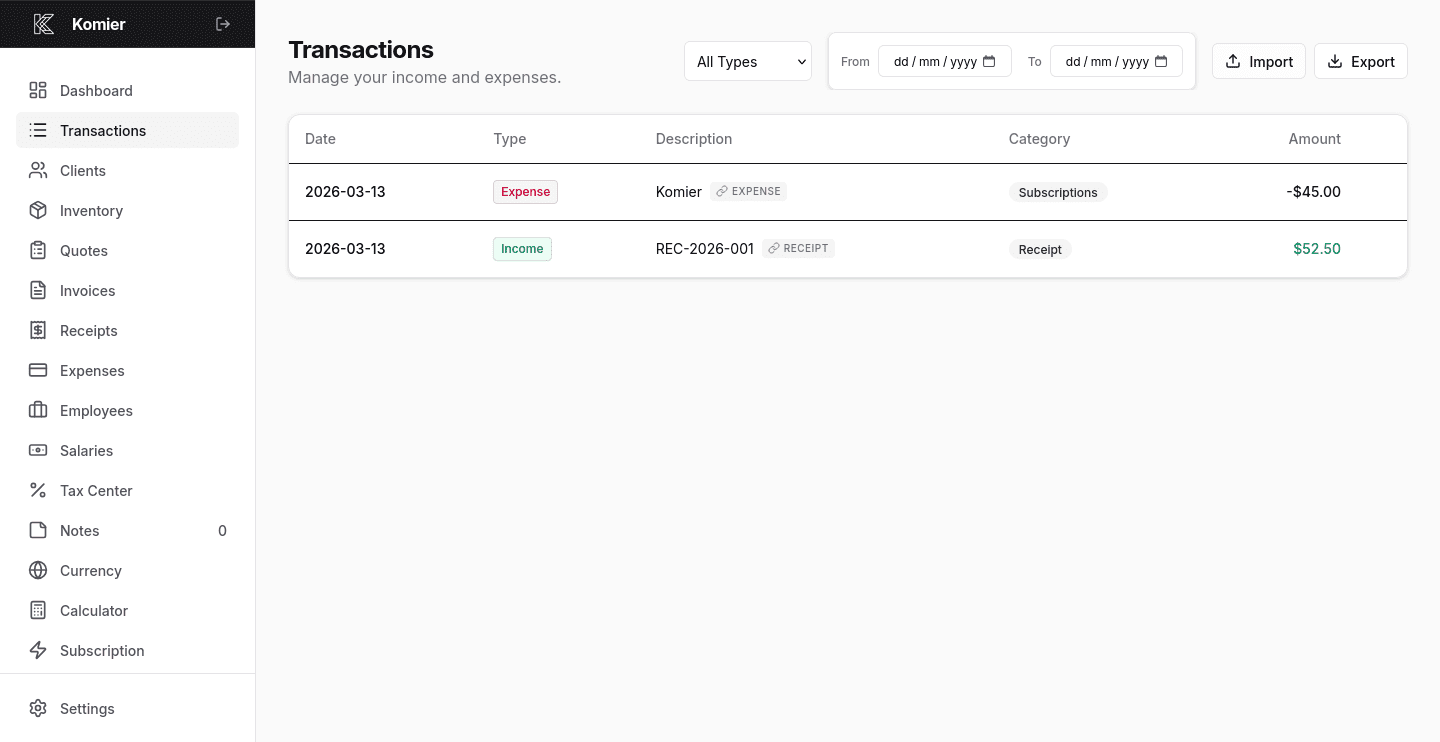
Select Transactions from the left-hand navigation menu.
You will see a list of all recorded transactions ordered by date, most recent first.
Each entry shows the date, type (revenue or expense), type, category, and amount. Positive amounts are income; negative amounts are costs.
Use the date range selector at the top to view transactions for a specific period.
Narrow your view by transaction type (revenue or expense).
Under description, click on the link tag next to any transaction to view its full details as it was generated from
Pro Tip: Review your transactions weekly — not just at month end. A five-minute weekly review keeps you aware of your financial position and makes it easy to catch any errors or missing records before they compound.
How Transactions Feed Your Dashboard
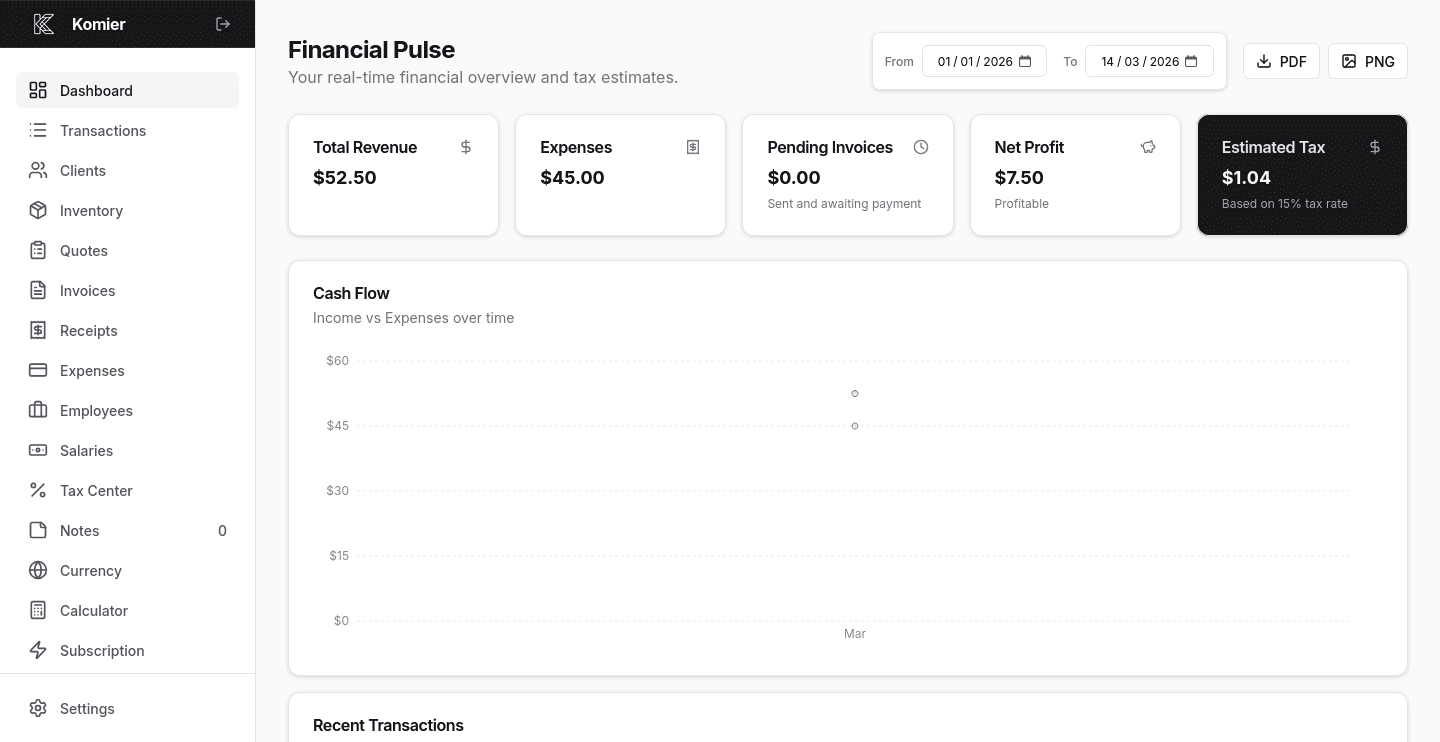
Your Financial Pulse dashboard — the main overview screen you see when you log into Komier — is powered entirely by your transaction data. Every entry in your ledger contributes to:
Total Revenue — the sum of all income transactions in the selected period
Total Expenses — the sum of all outgoing transactions in the selected period
Net Profit — revenue minus expenses, updated with every new transaction
Cash Flow Chart — the visual representation of income versus expenses over time
Estimated Tax — recalculated based on your current net profit every time a transaction is recorded
This is why logging every transaction promptly matters. A dashboard built on complete, accurate transaction data gives you a true picture of your business. A dashboard built on incomplete records gives you a false one.