How to Use the Built-In Calculator on Komier — Quick Calculations Without Leaving Your Workflow
Small things matter in a well-designed tool. The built-in calculator in Komier is one of those details that seems minor until you are about to build an invoice, need to work out a quick figure, and realise you do not have to stop what you are doing to open another app.
This guide covers what the Komier calculator does, when to use it, and why having it built directly into your financial dashboard is more useful than it might first appear.
Why a Built-In Calculator?
The honest answer is focus. Every time you switch apps — from your financial tool to a calculator on your phone, to a search engine for a quick conversion, back to your tool — you break your workflow. For tasks that require mental concentration like building a quote, reviewing profit margins, or preparing payslip figures, these micro-interruptions add up.
Komier’s philosophy has always been to keep everything you need for financial management in one place. The calculator is an expression of that same thinking applied to the smallest, most frequent micro-task in any financial workflow: checking a number.
The best tool is the one that never makes you stop and think 'where do I go to do this?' — the calculator keeps your numbers and your thinking in the same place.
How to Access the Calculator
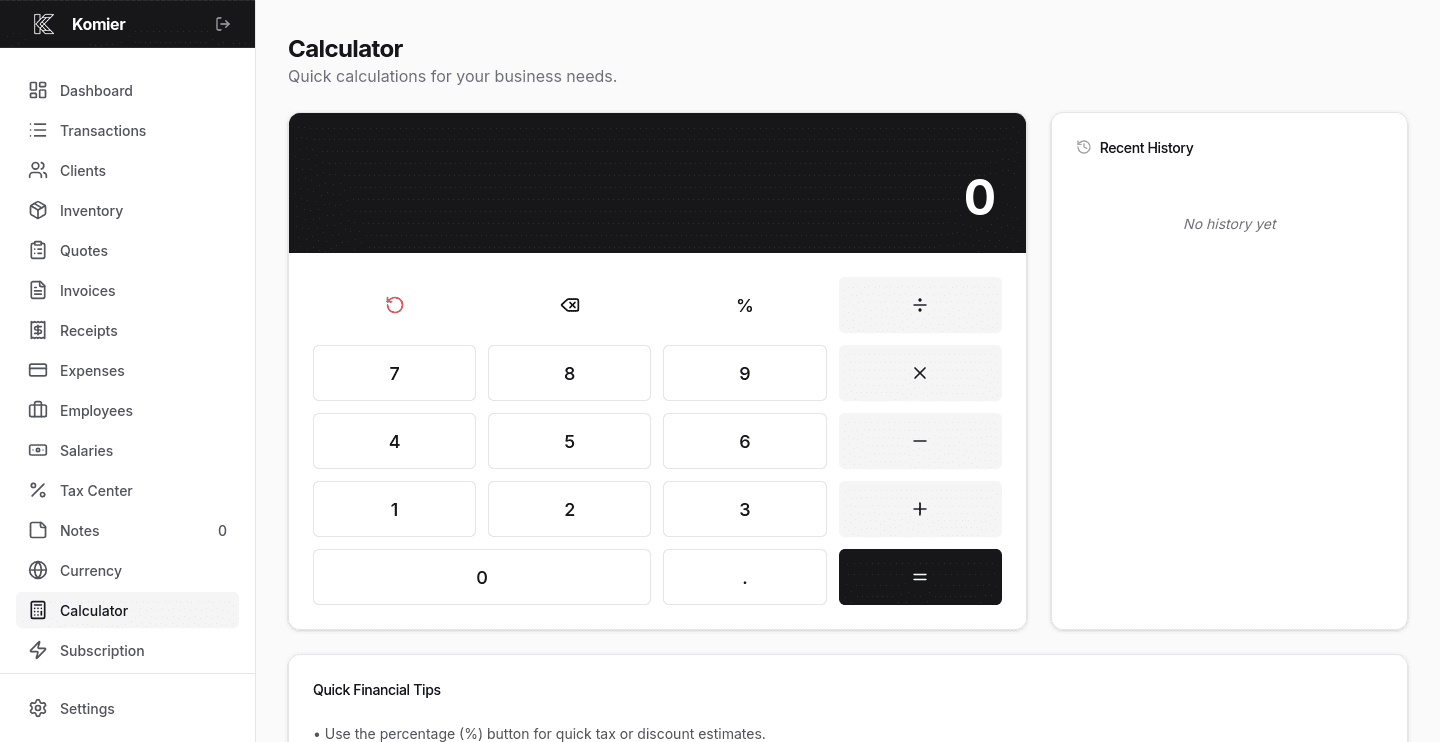
Select Calculator from the left-hand navigation menu in your Komier dashboard.
Just like the rest of Komier, the interface is clean and immediate — numbers, operations, and a display. Open it and start calculating.
The Calculator is accessible from the navigation at any point in your Komier session. Move between the Calculator and any other section — invoices, expenses, payslips — without losing your calculation. —
The Philosophy Behind Small Features
The calculator is one of those features that does not appear in most “key features” lists. It is not a headline differentiator. Nobody chooses a financial tool because it has a calculator built in.
But it reflects something important about how Komier is built: the tool is designed around the actual experience of using it, not just the feature checklist. Small frictions — like switching apps to calculate a percentage — are removed not because they are individually significant, but because removing them collectively makes the tool faster, more focused, and more pleasant to use every day.
Komier is anti-bloatware by design. Every feature in Komier earns its place by solving a real problem in a small business financial workflow. The calculator is there because it removes a real, frequent friction. The Notes feature is there for the same reason. Neither is there to pad a feature list — both are there because they make the tool better to use.
That is the Komier approach to product design. Keep it simple. Keep it complete. Keep everything in one place.